
Greetings, Nobles,
The 18 September update is live. Ranged combat has been reworked from the ground up, the interaction wheel and HUD have had the polish pass we showed in WIP, and an optimization pass means the game now runs on much lower hardware than it did a week ago.
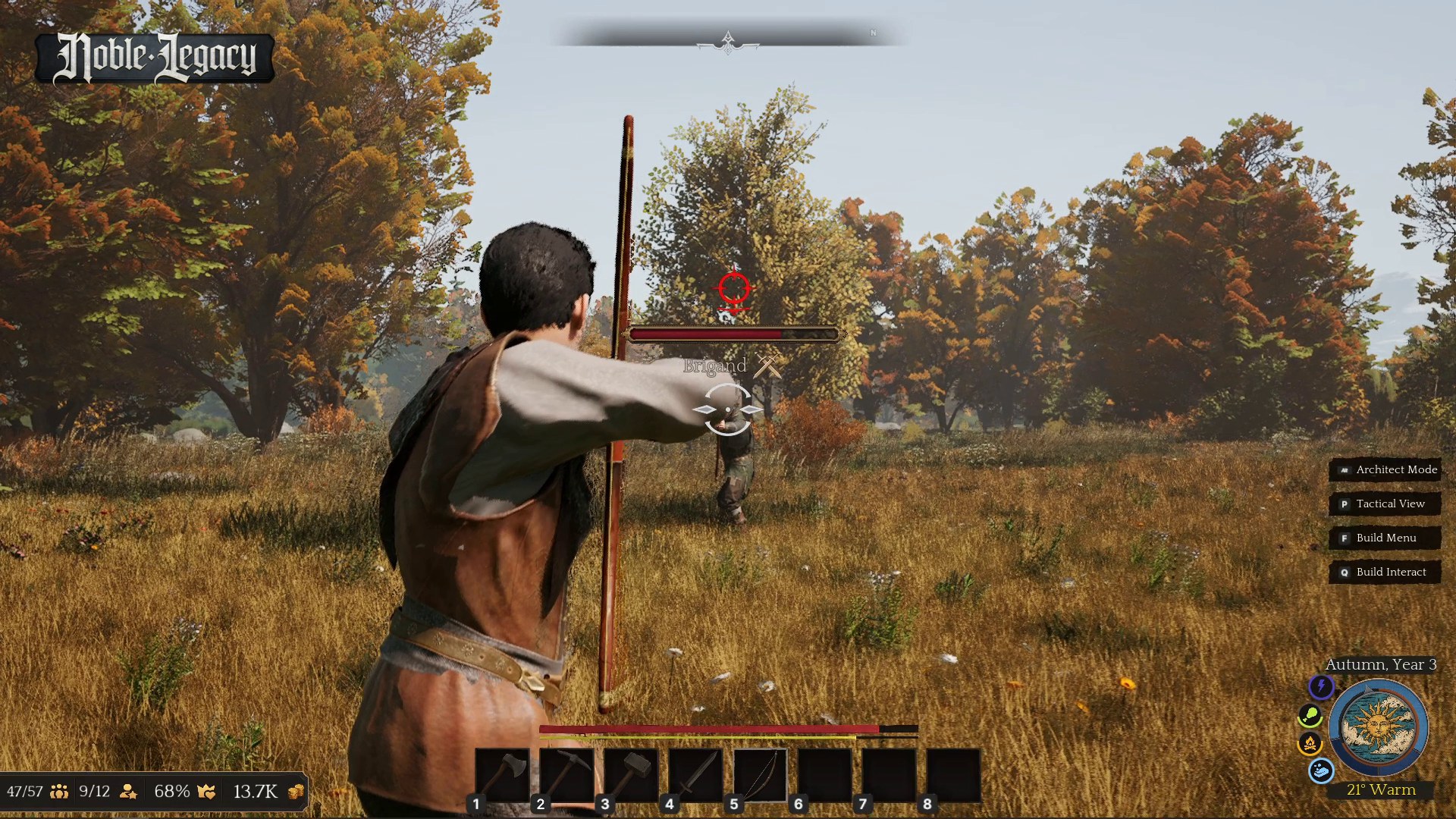
Ranged Attack rework
- Physical deviation system for projectiles, based on the accuracy of the shot
- Manual aiming on right click
- New weak point system for creatures and enemies
- Dodging now enabled while holding a bow
- Visual warning logic for ranged enemies
- Fixed projectile blocking direction while using a shield
- Updated ranged AI behaviour for both allies and enemies, plus quality of life improvements throughout
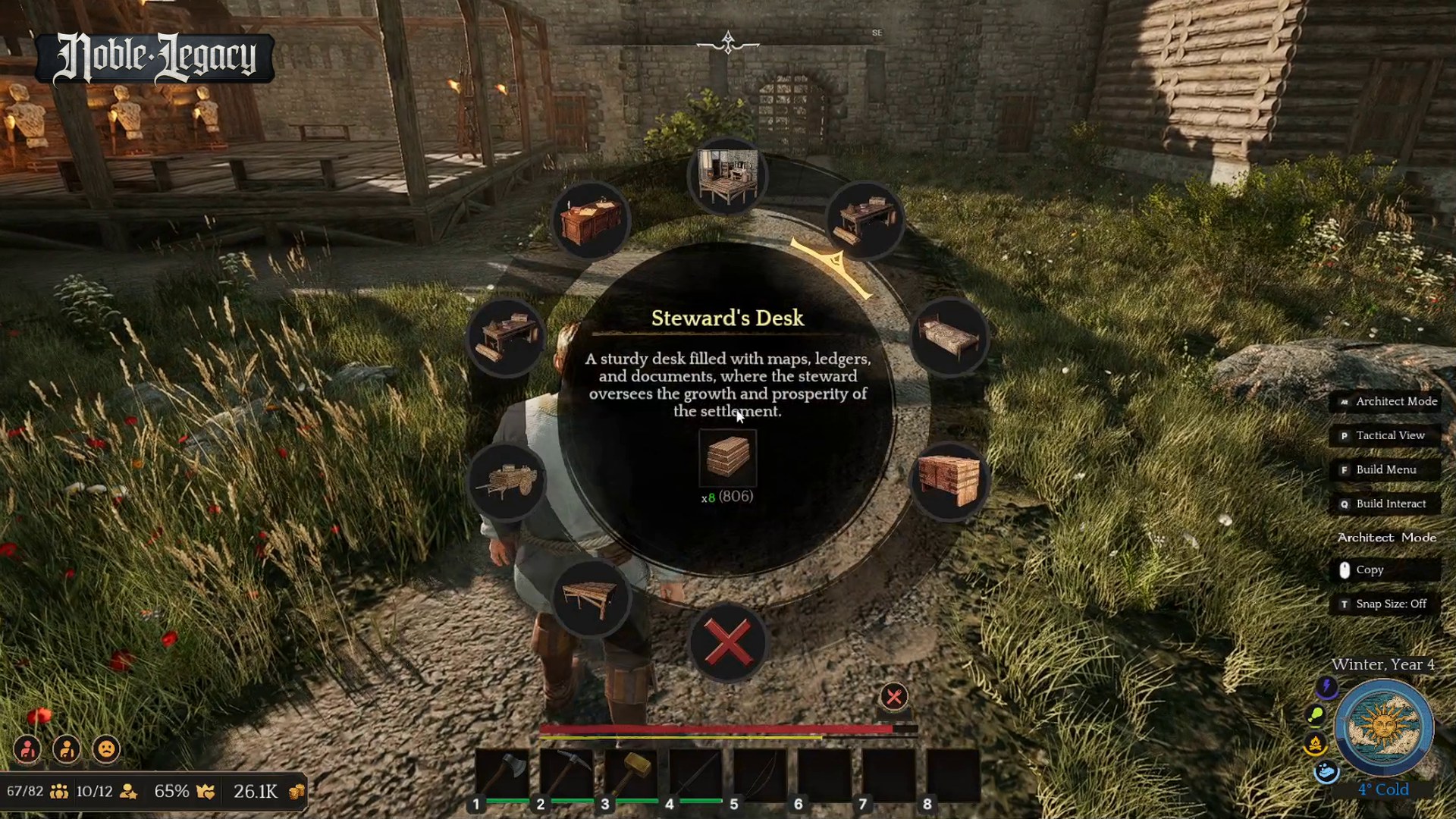
Interaction Wheel
- Smooth ornament sweeping transitions when pointing at options, on mouse and analog stick, instead of snapping between segments
- The menu closes itself when you walk out of interaction range
- Blank placeholder squares replaced with proper greyed-out and faded states for disabled options
- Smoother centre-panel transitions, with panel elements reorganised for balance and readability
- Opacity tuned per menu, so each keeps its contrast without losing its own look
UI Polish
- Dialogue options now have an arrow pointer and a banner for better readability
- Keyboard key prompts changed to a black style, with a small black background behind interaction and control prompts
- New key binding: Ctrl + Mouse Wheel to elevate buildings
- Colour added to the weather info to make it easier to read
- Updated notification graphics, map frame and saturation tones
Audio
- New footstep sound effects for the main character and NPCs, per surface
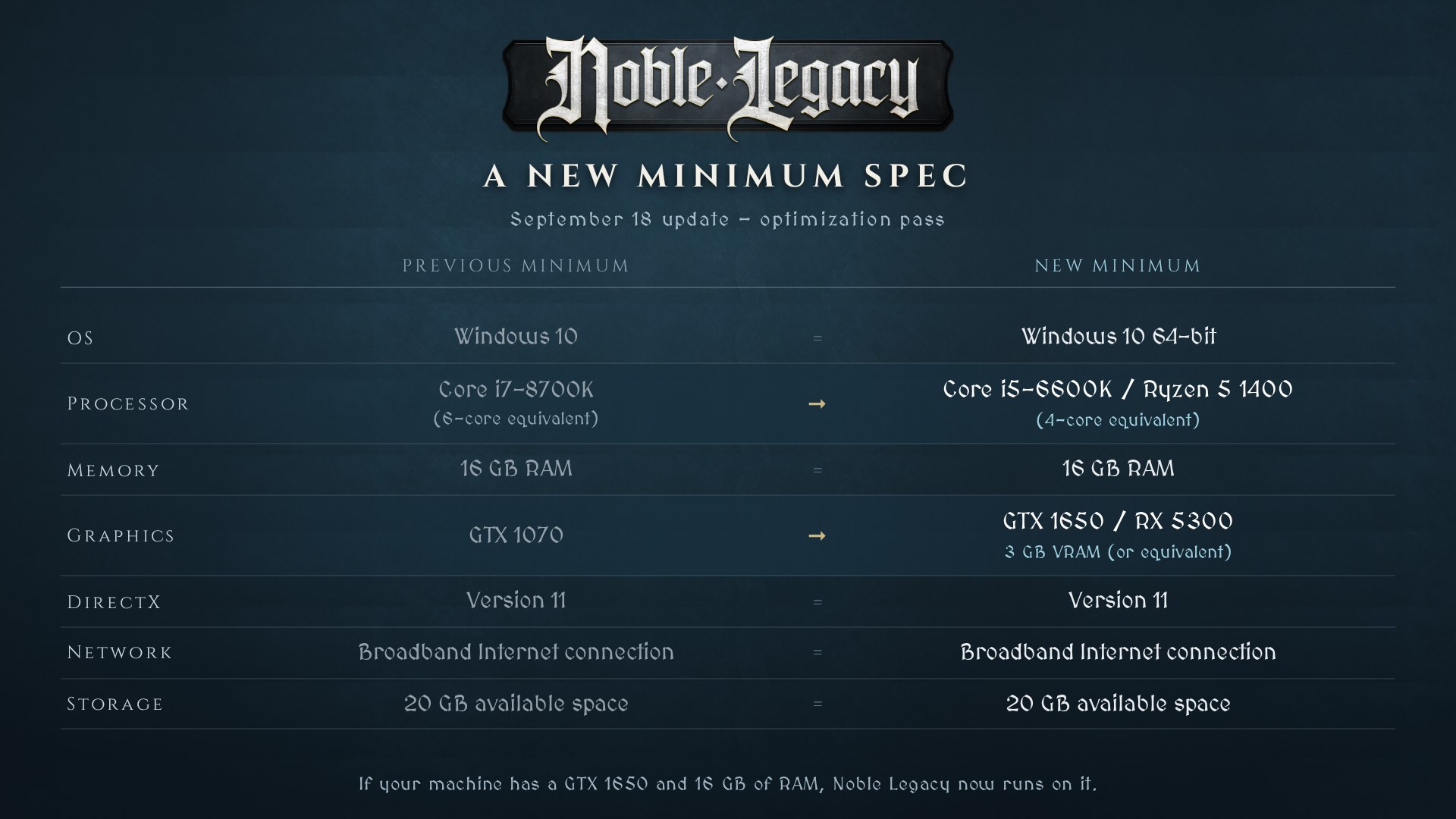
Optimization and a new minimum spec
Improved foliage rendering, several heavy materials and meshes optimized, considerably reduced VRAM usage and improved NPC animation performance. Against the Steam Hardware Survey, the game was compatible with 65% of Steam users before this patch. It is now at 80%. If your machine has a GTX 1650 and 16 GB of RAM, Noble Legacy now runs on it.
- OS: Windows 10 64-bit
- Processor: quad-core CPU — Intel Core i5-6600K / AMD Ryzen 5 1400 (4-core equivalent)
- Memory: 16 GB RAM
- Graphics: NVIDIA GeForce GTX 1650 / Radeon RX 5300, 3 GB VRAM (or equivalent)
- DirectX: Version 11
- Storage: 20 GB available space
Bug Fixes
Kingdom & Building
- Newly constructed buildings such as the Forager Hut were labelled “Building” instead of their proper name — fixed
- Corrected an invalid tooltip in the Forager Hut details section
- Fixed a visual overlap where building recipes with multiple ingredients overflowed the radial menu container
UI, Menus & Input
- Fixed Spanish language selection not applying in the Options menu
- Restored missing HUD command actions and buttons on the Map Tab
- Standardised keymapping text sizes across the Options menu
- Fixed daily NPC resource consumption notifications overlapping the controls UI
- Added missing keybinding support to remap the Ctrl key for structure height adjustment
- Fixed a controller softlock where pressing Y with the NPC radial menu active blocked all menu inputs
- Fixed icon rendering issues causing UI elements to pop outside the radial menu boundaries
NPCs, Dialogue & Mechanics
- Fixed dialogue camera framing bugs caused by non-default FOV settings
- NPC names no longer default to “Villager” instead of their assigned name in dialogue
- Player names no longer display as “Player” instead of your chosen name in conversations
- Dialogues no longer trigger when you move out of interaction range
- Adjusted oversized interaction distances for workstations
Thank you for the bug reports and the feedback — keep them coming. The update is live now, so update your build and jump in. See you in the settlement.